Everything you need to run a training programme: from automated eligibility checks to ILR returns.
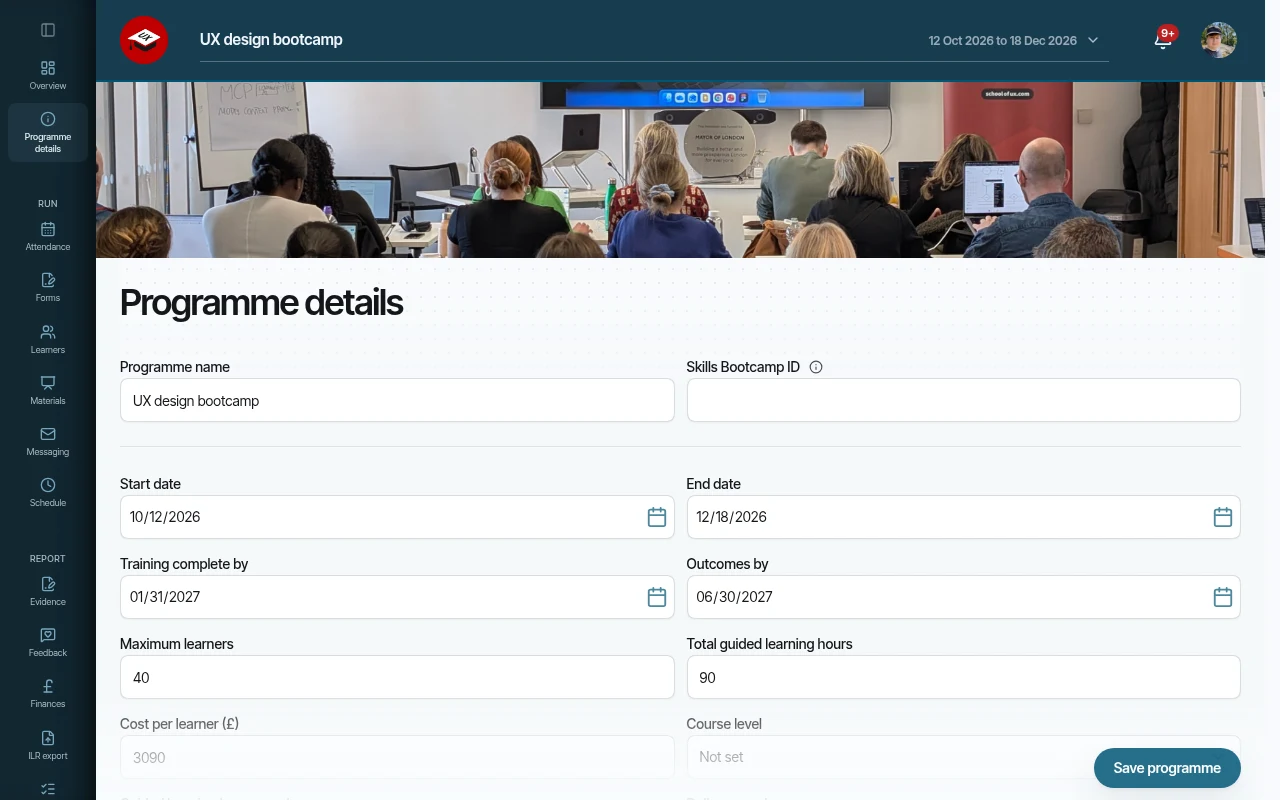
Run any programme. Your way.
- Set up funded or internal programmes in minutes, each with its own cohorts, rules and milestones
- Never overfill a cohort – place limits are enforced for you
- Change dates and capacity whenever plans move, without starting again
- Know what every learner costs, set for a whole cohort or one person
- Look like you in every email and staff screen, with your logo and colours
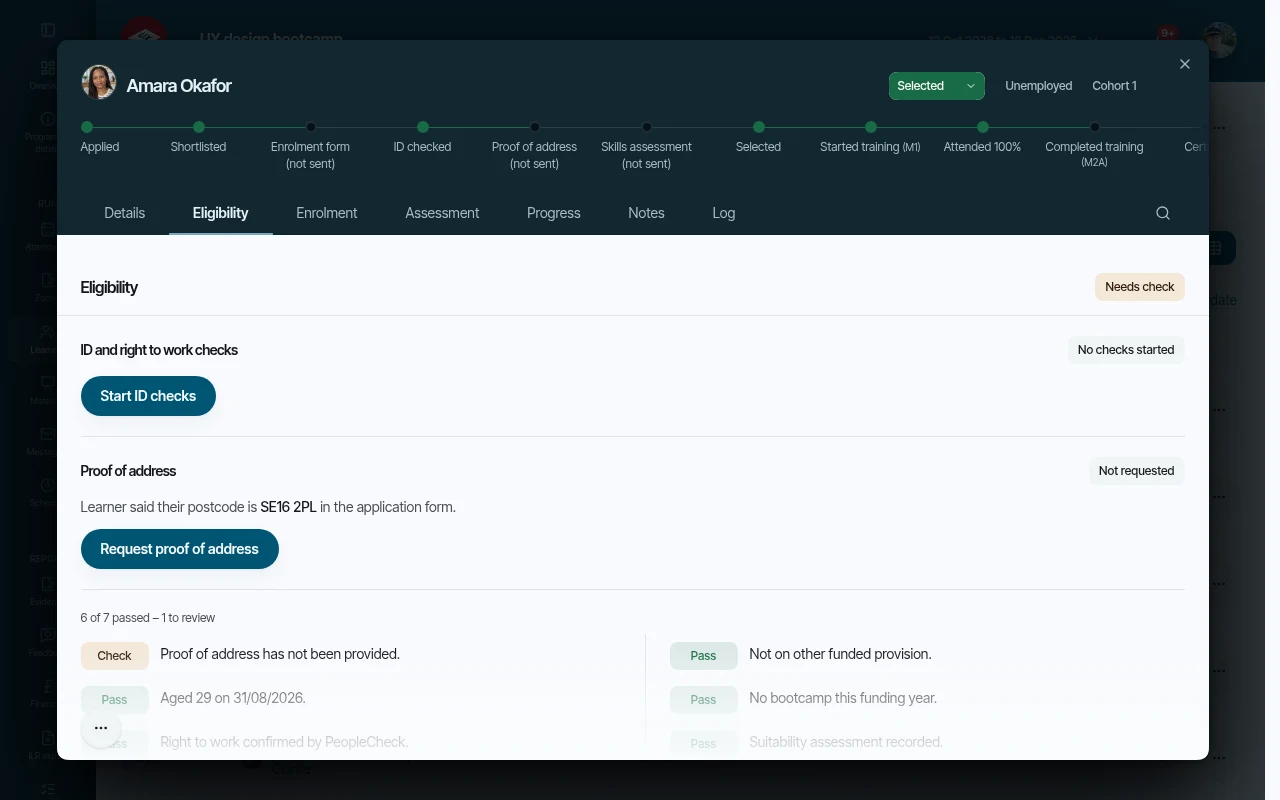
Fill your cohorts. Without the admin.
- Collect applications through your own branded forms, shared by a private link
- Bring in existing lists by CSV, with duplicates skipped for you
- See straight away who meets your programme rules, and why
- Confirm postcodes and locations against official data, not guesswork
- Stay audit-ready – no learner counts as eligible until staff check their proof of address
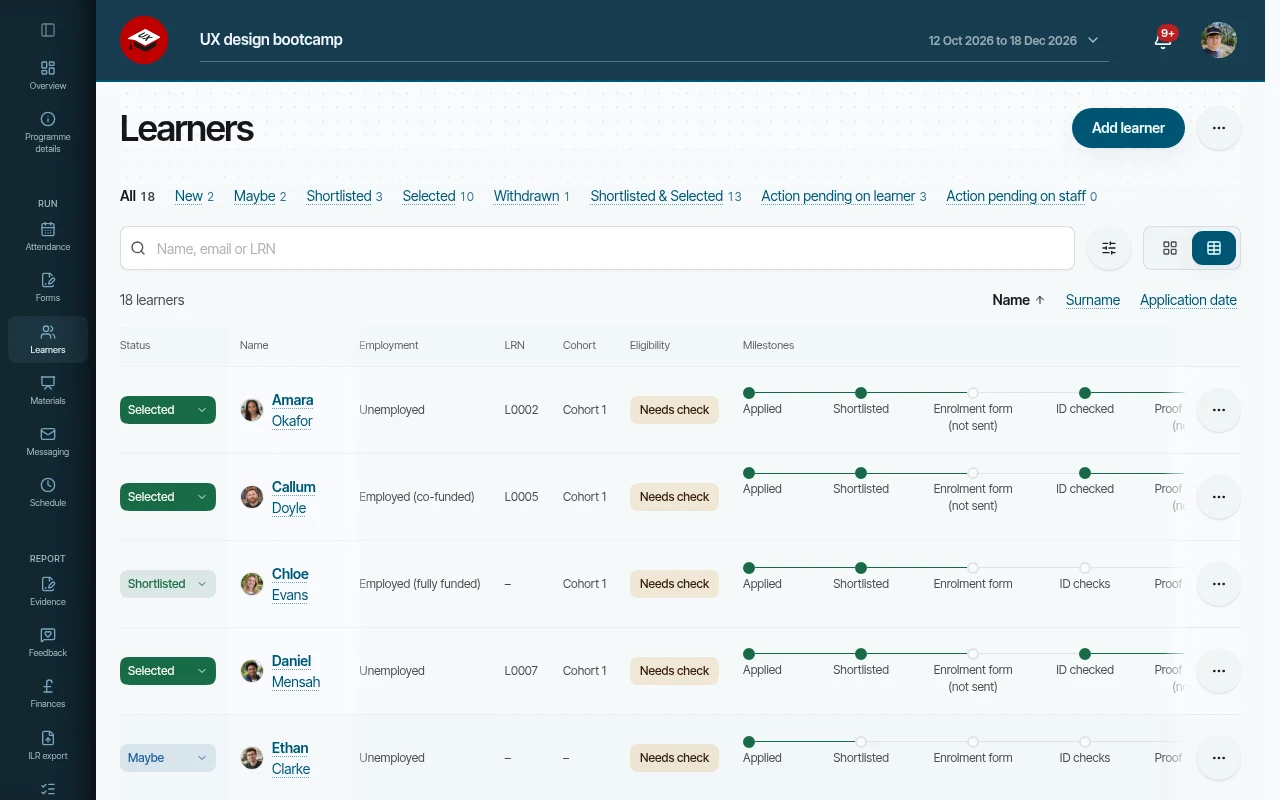
Enrol learners. No printing, no chasing.
- Shortlist and select learners in a couple of clicks
- Send the right enrolment forms for each employment status, already filled in from the application
- Collect handwritten e-signatures with a full audit trail, then countersign in the same place
- Verify identity and right to work securely through PeopleCheck
- See at a glance who has signed and who still needs a nudge
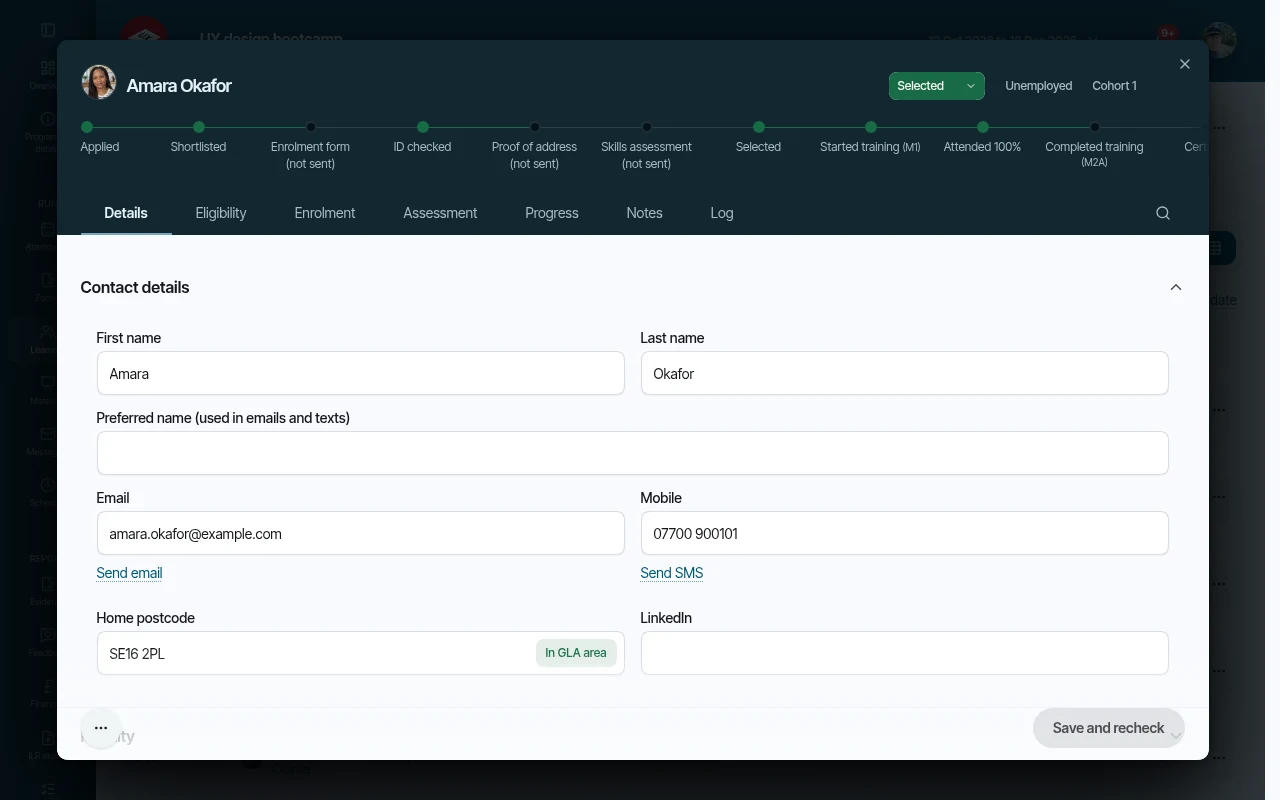
Know every learner. In one record.
- Fetch or register learner numbers with the Learning Records Service, without leaving the record
- Keep individual learning plans, support needs and review dates up to date
- Give the whole team the same picture with dated notes from tutors and staff
- Show real progress with skills assessments before and after training
- Keep course feedback with the learner it came from
- Rest easy – sensitive answers are encrypted, and every change is recorded
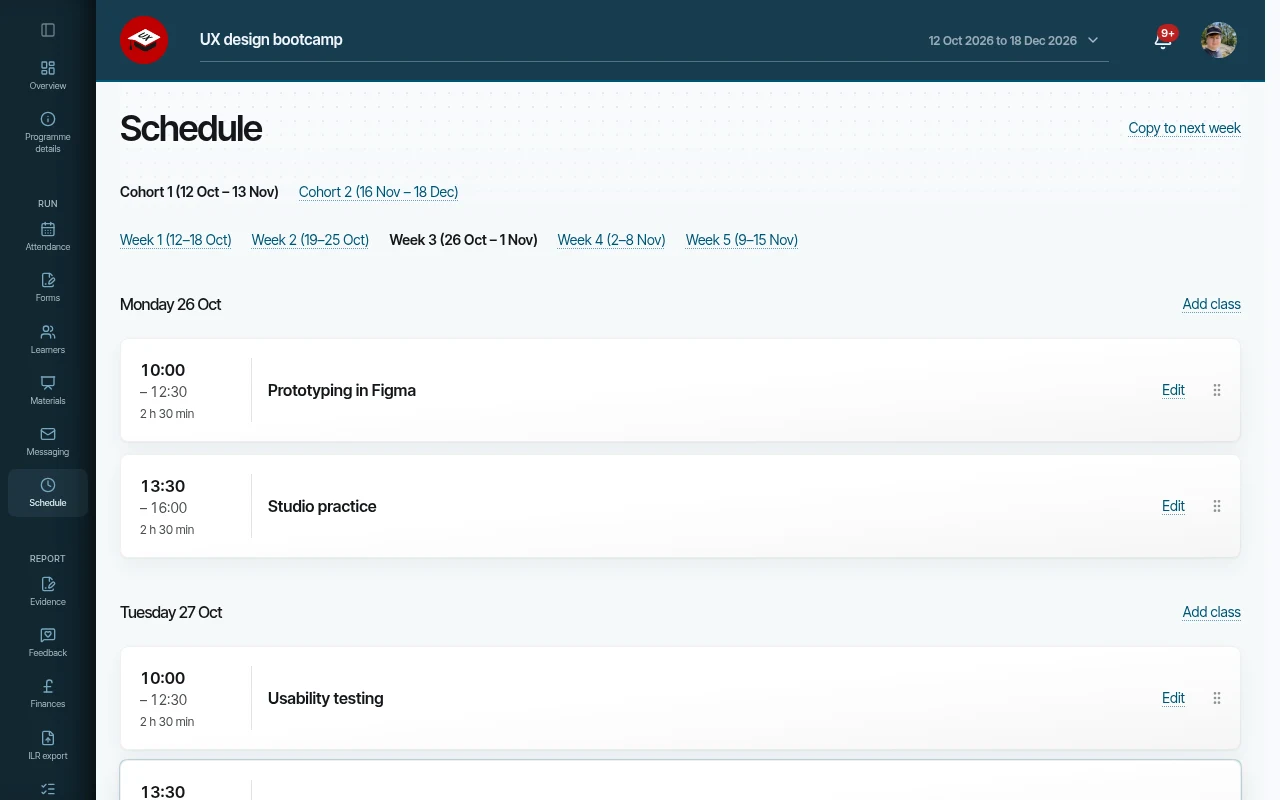
Plan the timetable. Share the slides.
- Plan each training day with times, theme and venue
- Drag a class to another day when plans change
- Share slides with exactly the cohorts that need them
- Learners only ever see their own cohort's classes and slides
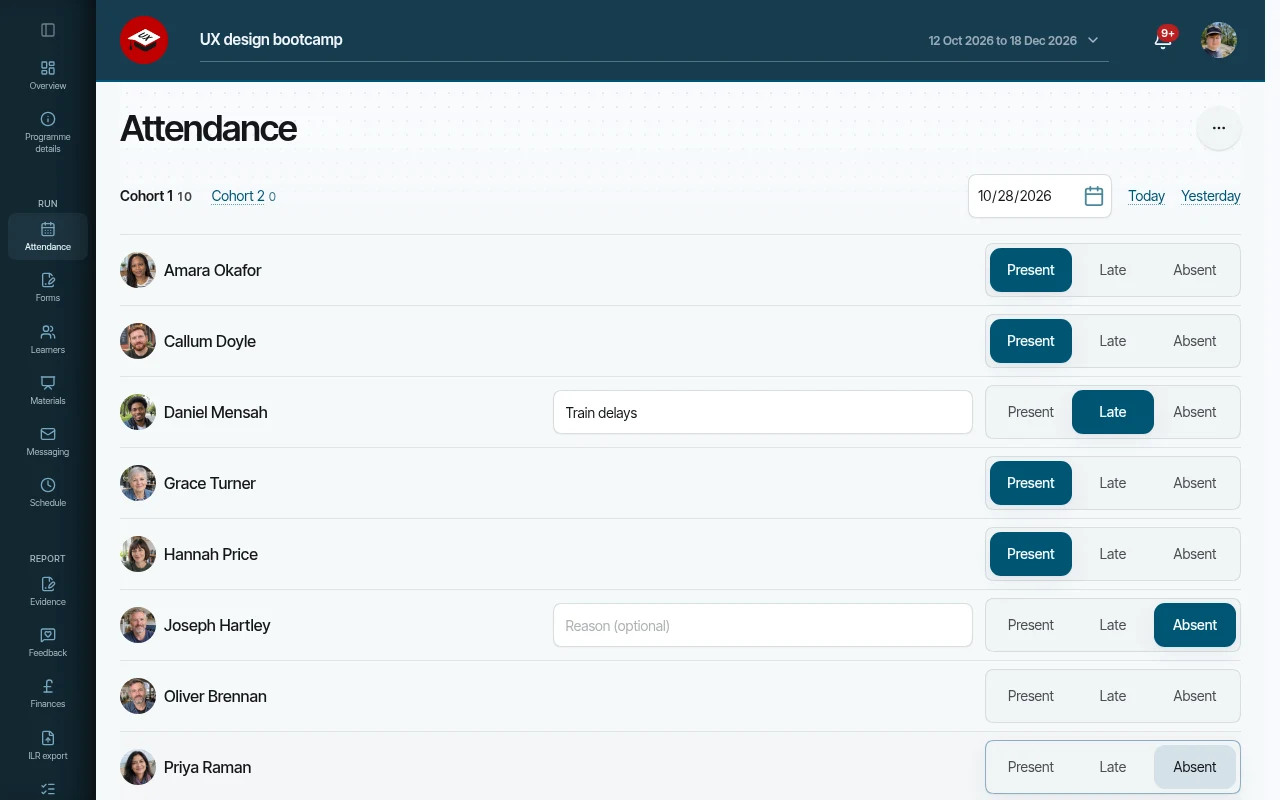
Take the register. Or let learners check in.
- Take the register on a phone or tablet in seconds
- Mark present, late or absent, with an optional reason
- Let learners check themselves in at the venue, straight into the register
- Catch no-shows early with a text 30 minutes after class starts
- Spot attendance worries before they become drop-outs
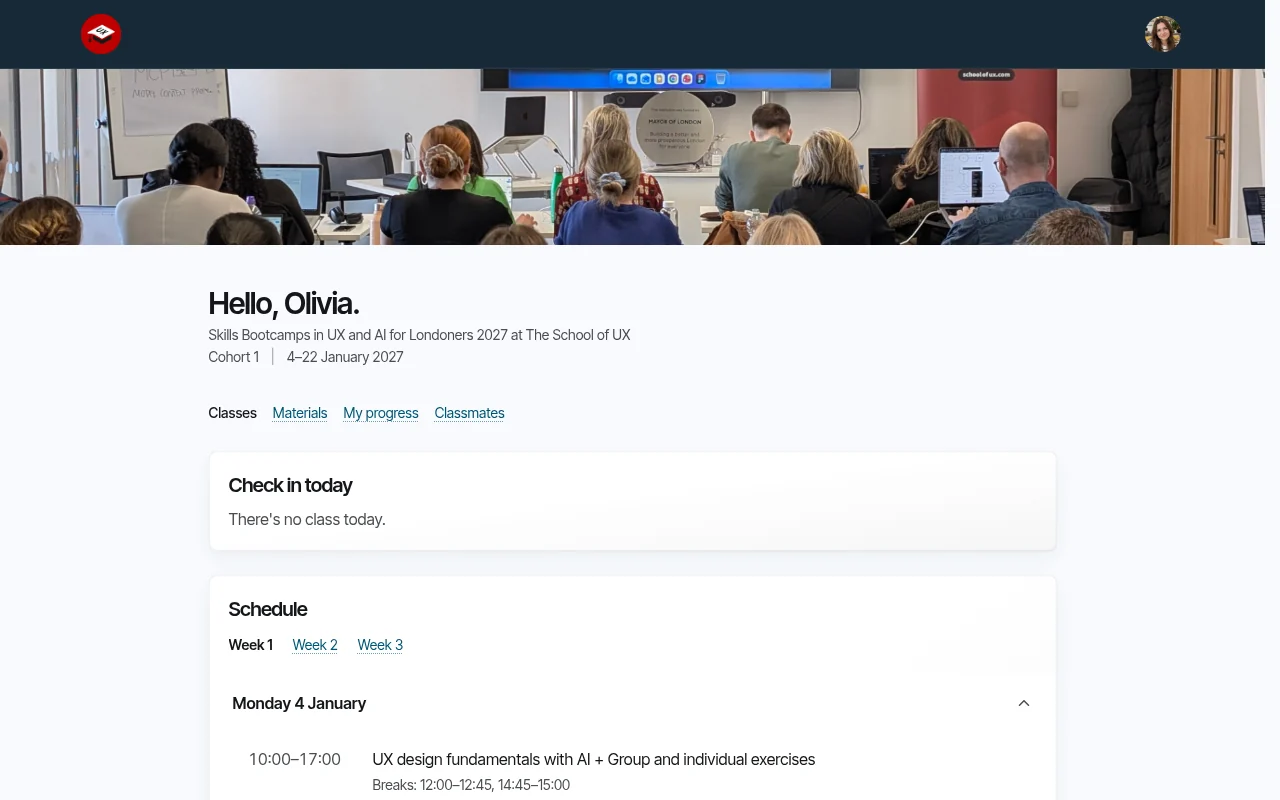
Self-serve learners. Fewer emails for you.
- Give selected learners their own private portal
- Answer “when and where is class?” before anyone asks, with the weekly timetable and venue
- Keep learners motivated with their milestones and course goal in view
- Let learners check in, download slides and find the accounts they need on their own
- Gather course ratings and comments while training is still fresh
- Help learners network with an opt-in classmates directory for their cohort
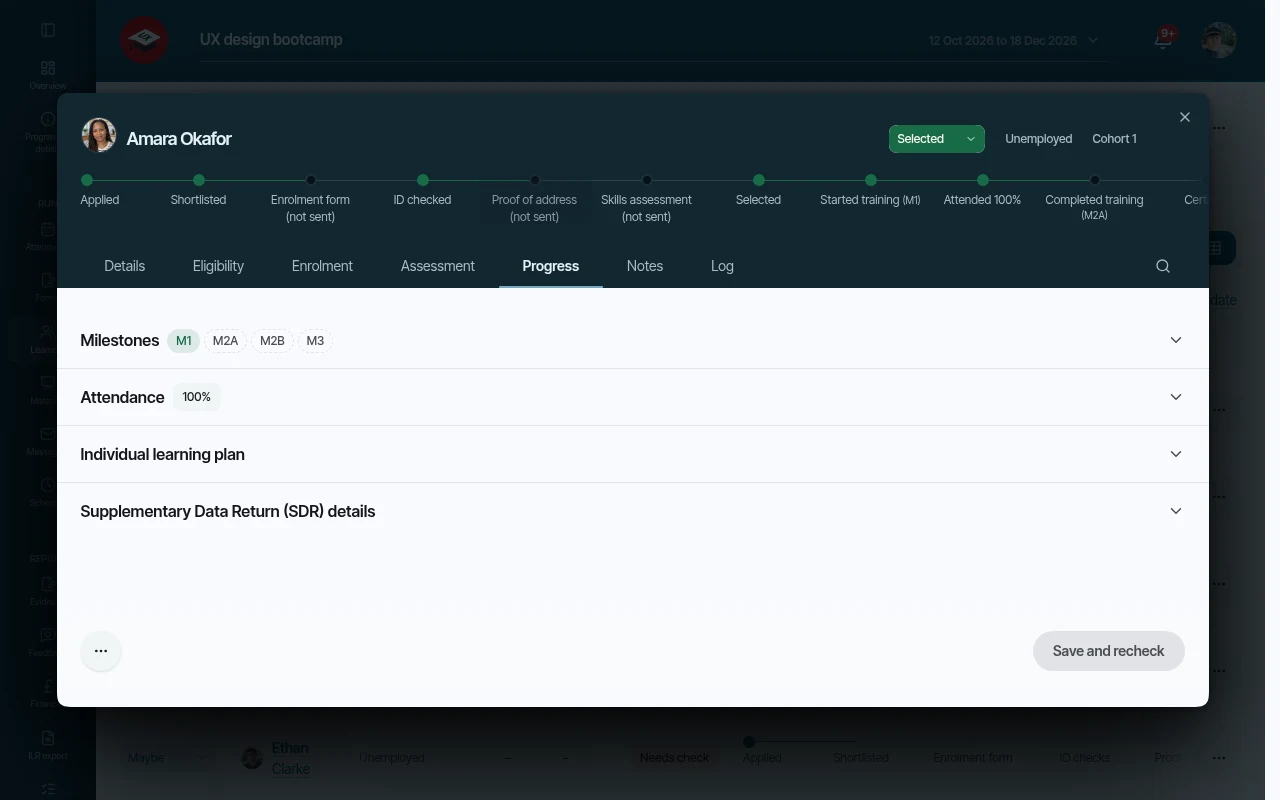
Track milestones. Stay audit-ready.
- See every learner's milestones with dates and evidence, checked in the right order
- Never hunt for paperwork – each milestone has an evidence checklist kept indefinitely
- Download all evidence from one page when the auditor calls
- Read progress the same way on every card, popup and portal
- Follow learners right through to job interviews and certificates
- Know if you are on track with programme-wide targets
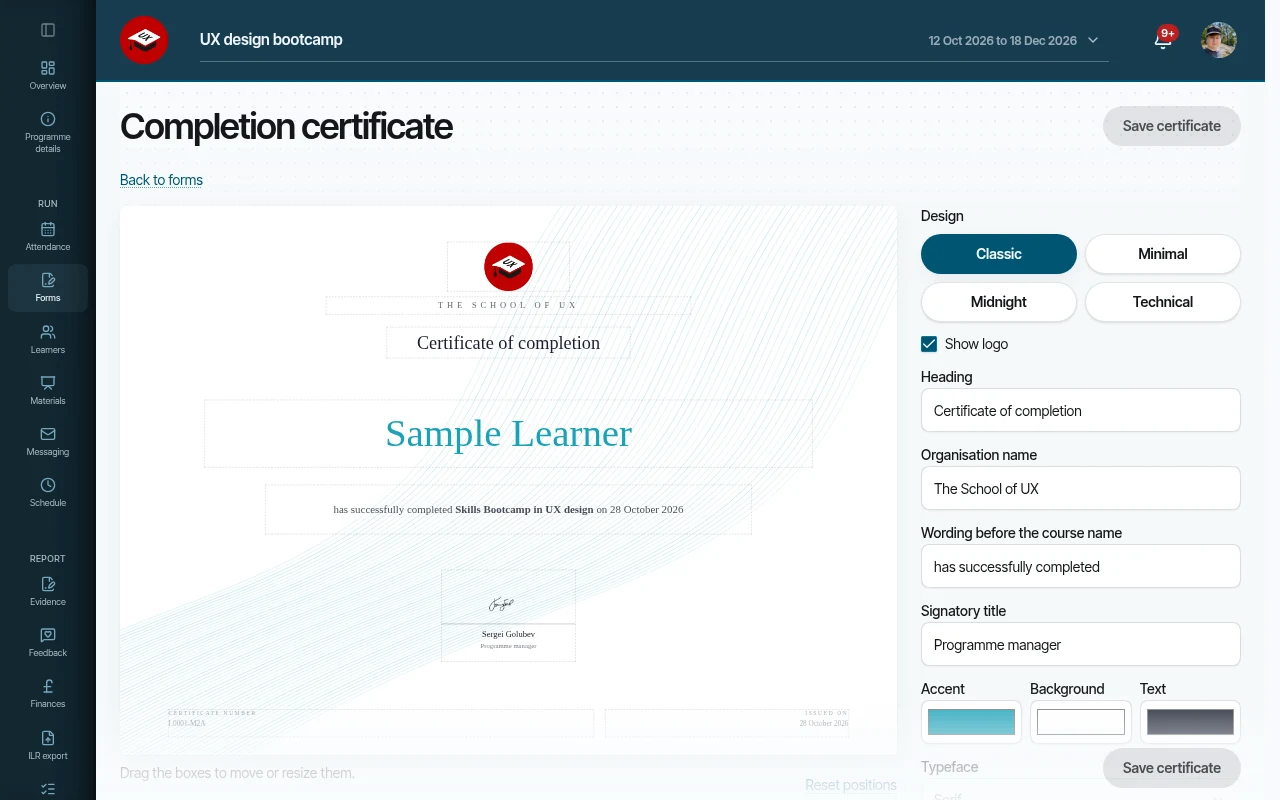
Issue certificates. Automatically.
- Issue a signed certificate the moment training is complete
- Use your own wording, signed by the manager who records completion
- Filed with the learner's evidence and waiting in their portal – nothing to post
- Let employers check any certificate online, and learners add it to LinkedIn
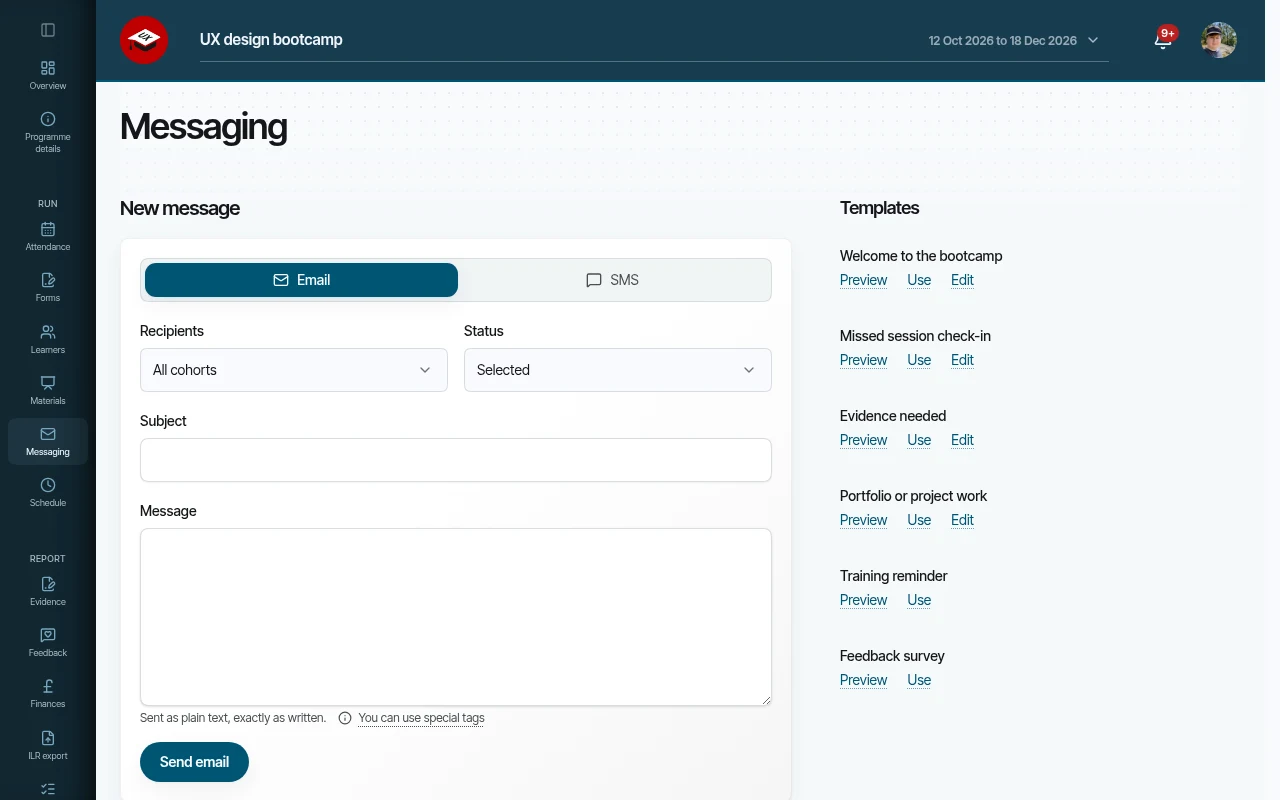
Email and SMS learners. Right from the platform.
- Send from your own Resend and Twilio accounts
- Reach a whole cohort at once with templates, and preview before anything goes out
- Cut no-shows with text reminders for training days and missed check-ins
- Stop chasing – outstanding actions are reminded automatically after 72 hours
- Know what landed, with a full log and clear warnings when something was not delivered
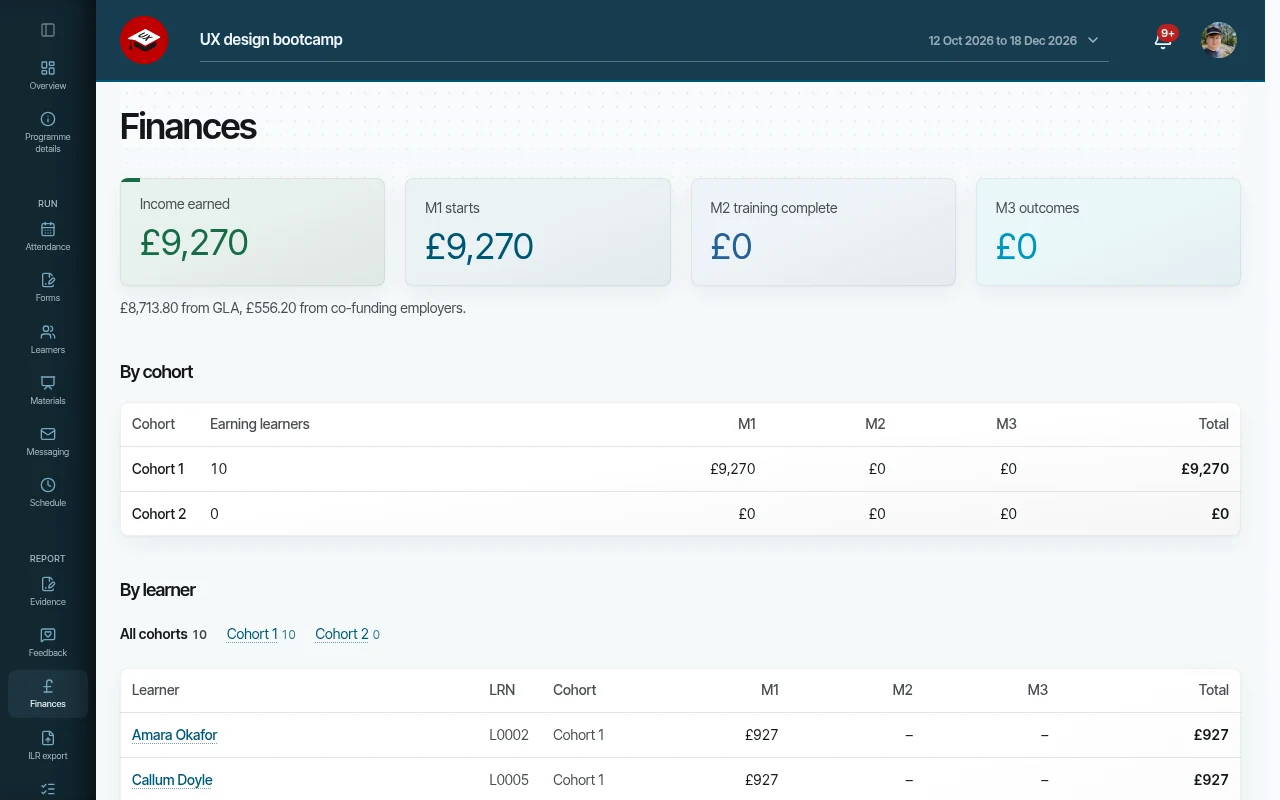
Report to funders. In one click.
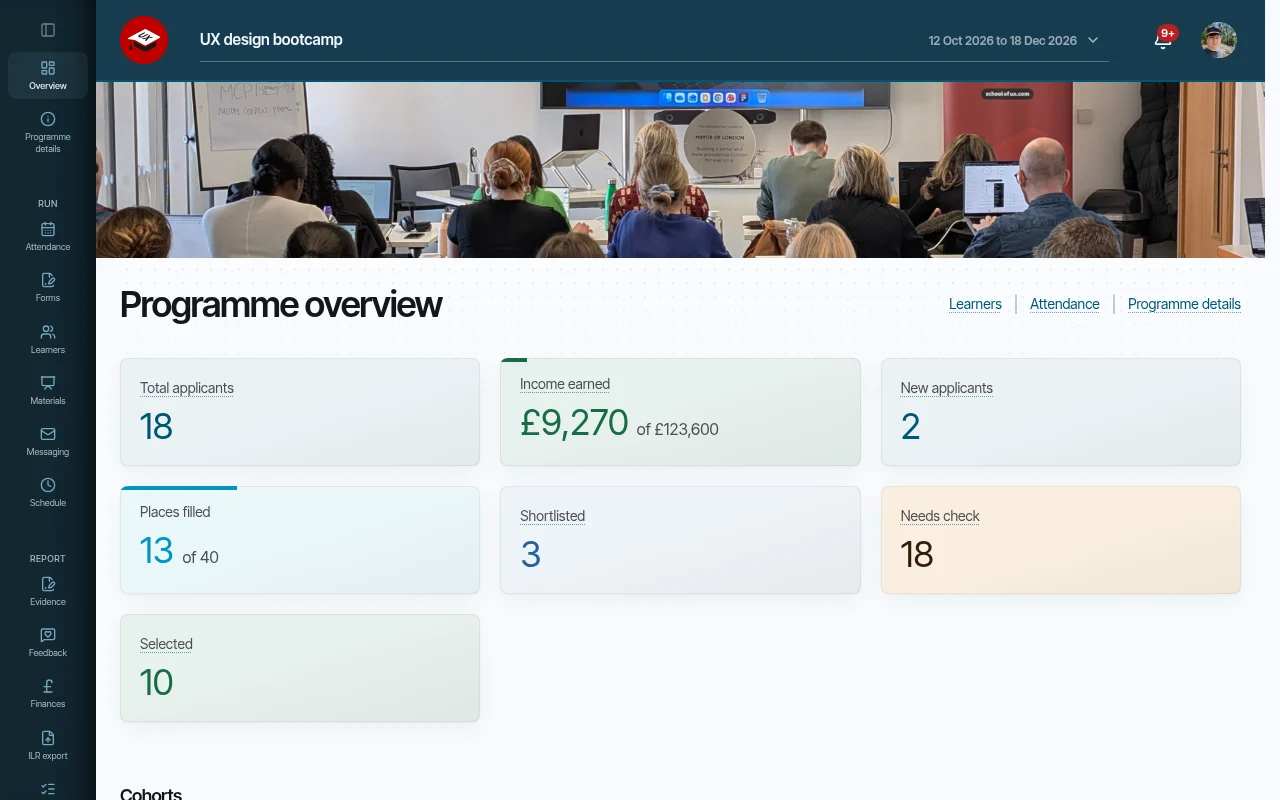
- See applicants, eligibility and places filled at a glance
- Know what you have earned at each milestone and what each cohort has cost
- Export ILR 2026/27 files and GLA SDR rows without retyping a thing
- Share summary reports with funders, with no personal data
- Keep survey and skills assessment answers on record
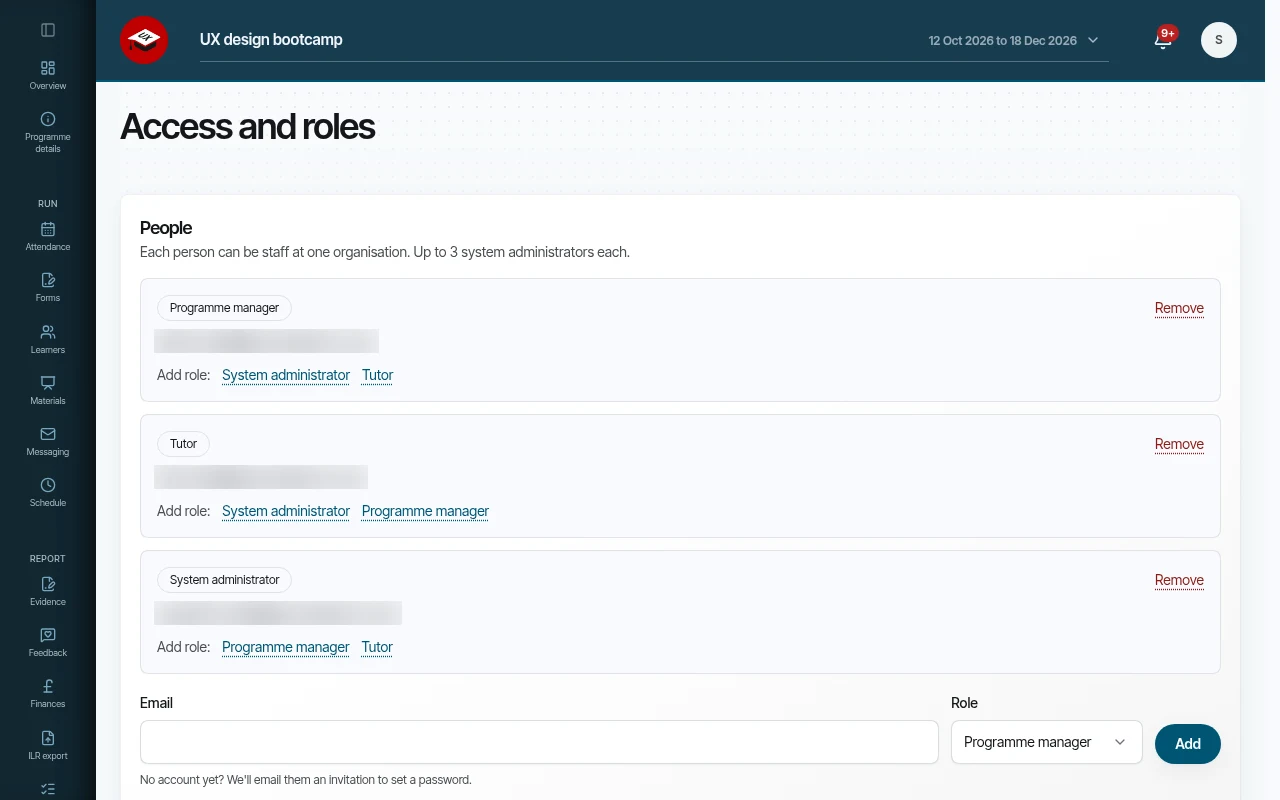
Give your team the right access. Nothing more.
- Sign in quickly with face or fingerprint, or a password and two-step code
- Give administrators, programme managers and tutors only what they need
- Never miss a new application with notifications that name the learner
- Sign out automatically on a device left idle, if you choose
- Keep working calmly when the connection drops, with private pages never saved on the device
- Install it as an app on phones and desktops
Keep learner data safe. By design.
- Each organisation's data kept apart – no learner is visible to another organisation
- Integration keys and sensitive learner details stored encrypted
- See who did what with audit logs that never store the data itself
- Two-step sign-in for every staff account
- Handle subject access and erasure requests without leaving the system
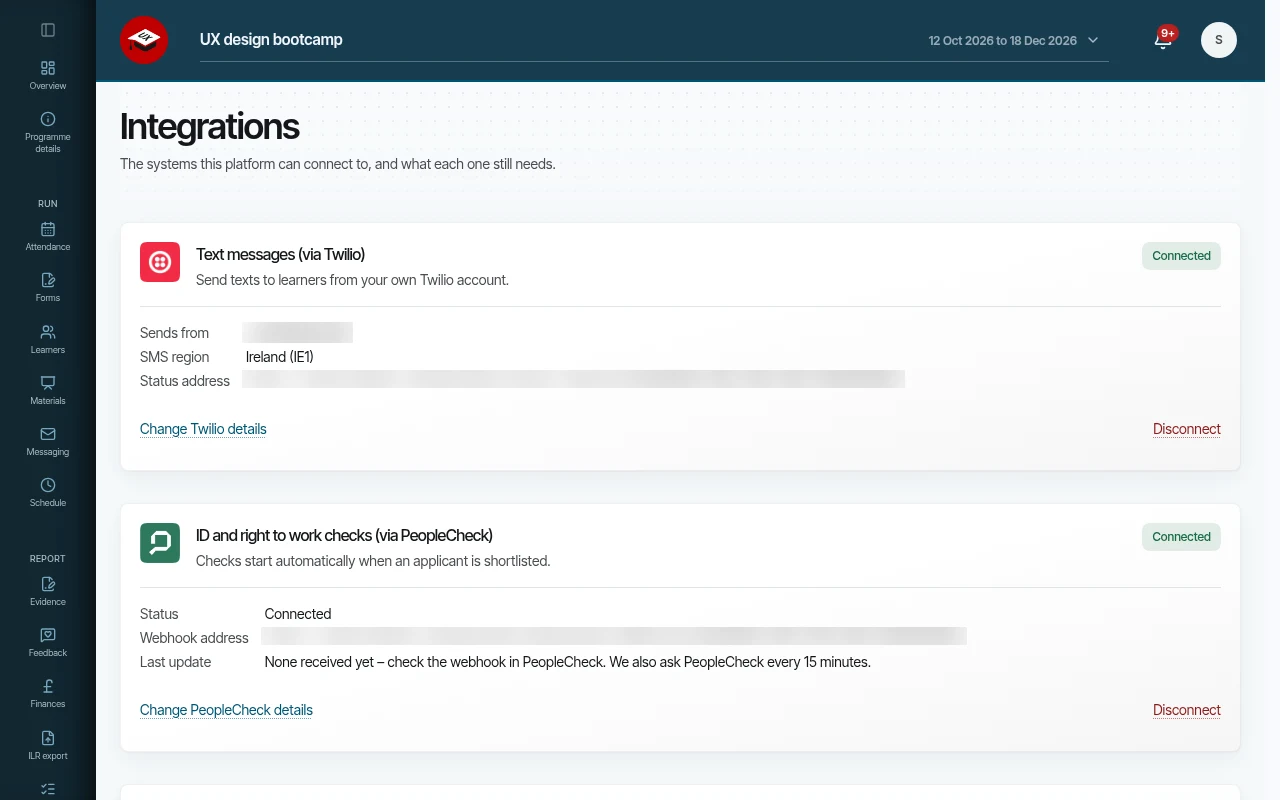
Connect your own accounts. Keep control.
- Use your own Resend, Twilio, PeopleCheck and Learning Records Service accounts – connected by your organisation, billed to you, under your control